

If at any point your screen does not look like the picture, stop and email support@lexbrief.au – we would rather help than have you guess.
Before you start
An interest invoice charges interest on invoices that are already overdue – that is, invoices you have issued, that the client has not paid, and whose due date has passed. So before you can raise one, the matter needs at least one overdue invoice. If you are not sure how invoices work, read the Invoices guide first.
A note on wording: the dark strip of links down the left-hand side of the screen is the menu. You raise an interest invoice from inside a matter – if you need a refresher on matters, see the Matters guide.
What an interest invoice is
An interest invoice is simply a way to bill a client for the interest that has built up on their unpaid bills. A few things to know:
- It is a real, numbered invoice, just like any other. It gets a number when you issue it, it shows up in your list of invoices and your outstanding figures, and you record payment against it the same way.
- It is GST-free. Interest does not attract GST, so there is no GST line on it.
- It charges simple daily interest on the amount still owing on each overdue invoice, counted from the day after that invoice fell due.
The interest rate
You do not have to work out the rate yourself. LexBrief uses one of two rates:
- Your own rate – if you have set an interest rate on the matter (in the matter's details), that rate is used.
- The legal cap – if you have not set a rate, LexBrief uses the maximum the law allows. That is the Reserve Bank cash rate on the day the original invoice was issued, plus 2%. LexBrief keeps the Reserve Bank's rate history up to date for you automatically, so this is always correct without you doing anything.
Either way, you will see the exact rate being applied to each invoice on the interest-invoice screen, so there are no surprises.
Raise an interest invoice
1. Open the matter and start it
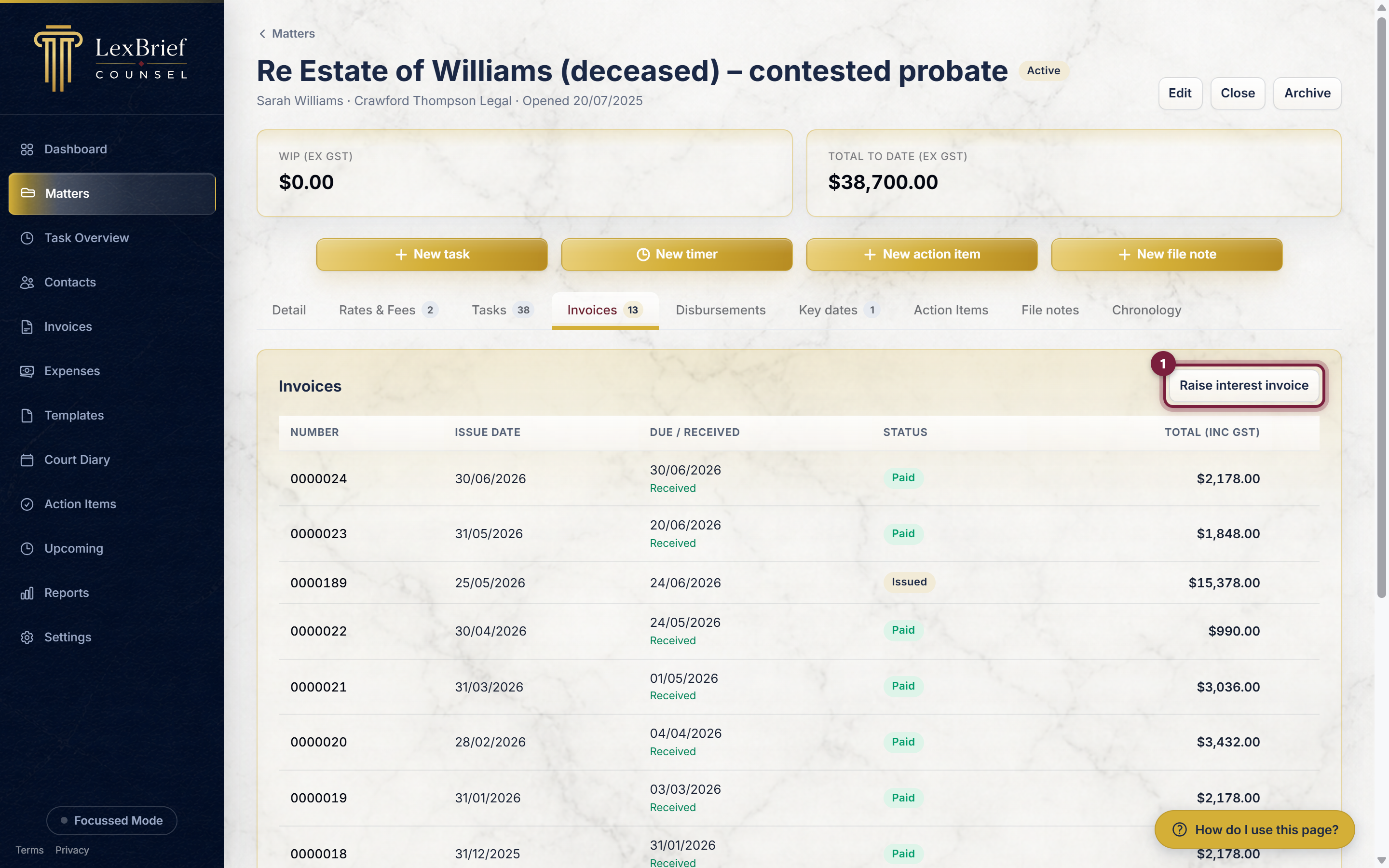
Open the matter with the overdue invoices. On its Invoices tab (the tabs run across the middle of the page), click the Raise interest invoice button on the right.
2. Look at the overdue invoices
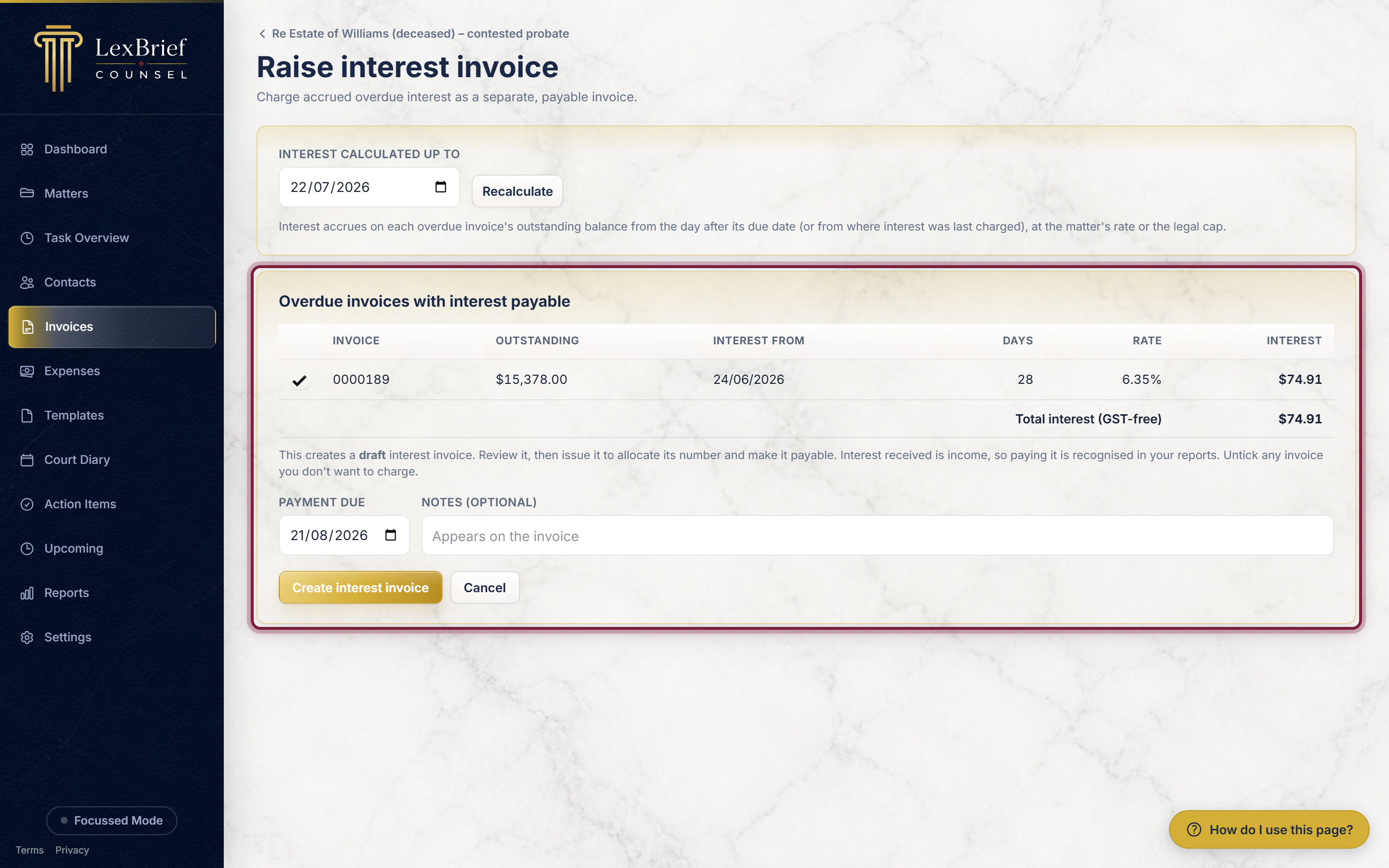
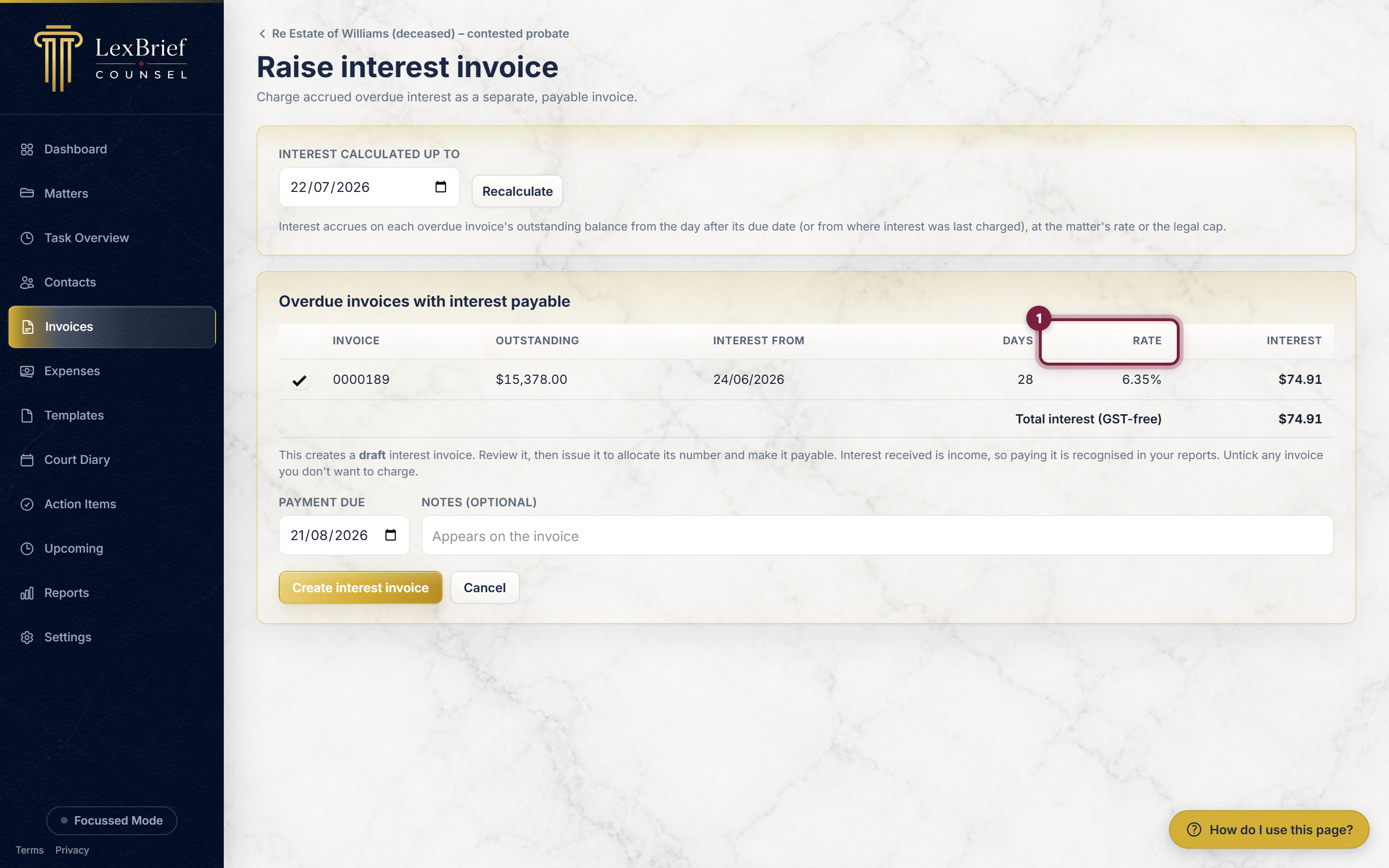
LexBrief shows you every one of this matter's overdue invoices, with how much is still owing, how many days it has been overdue, the interest rate, and the interest that has built up on each. At the bottom is the total interest, marked GST-free.
3. Choose which invoices to charge
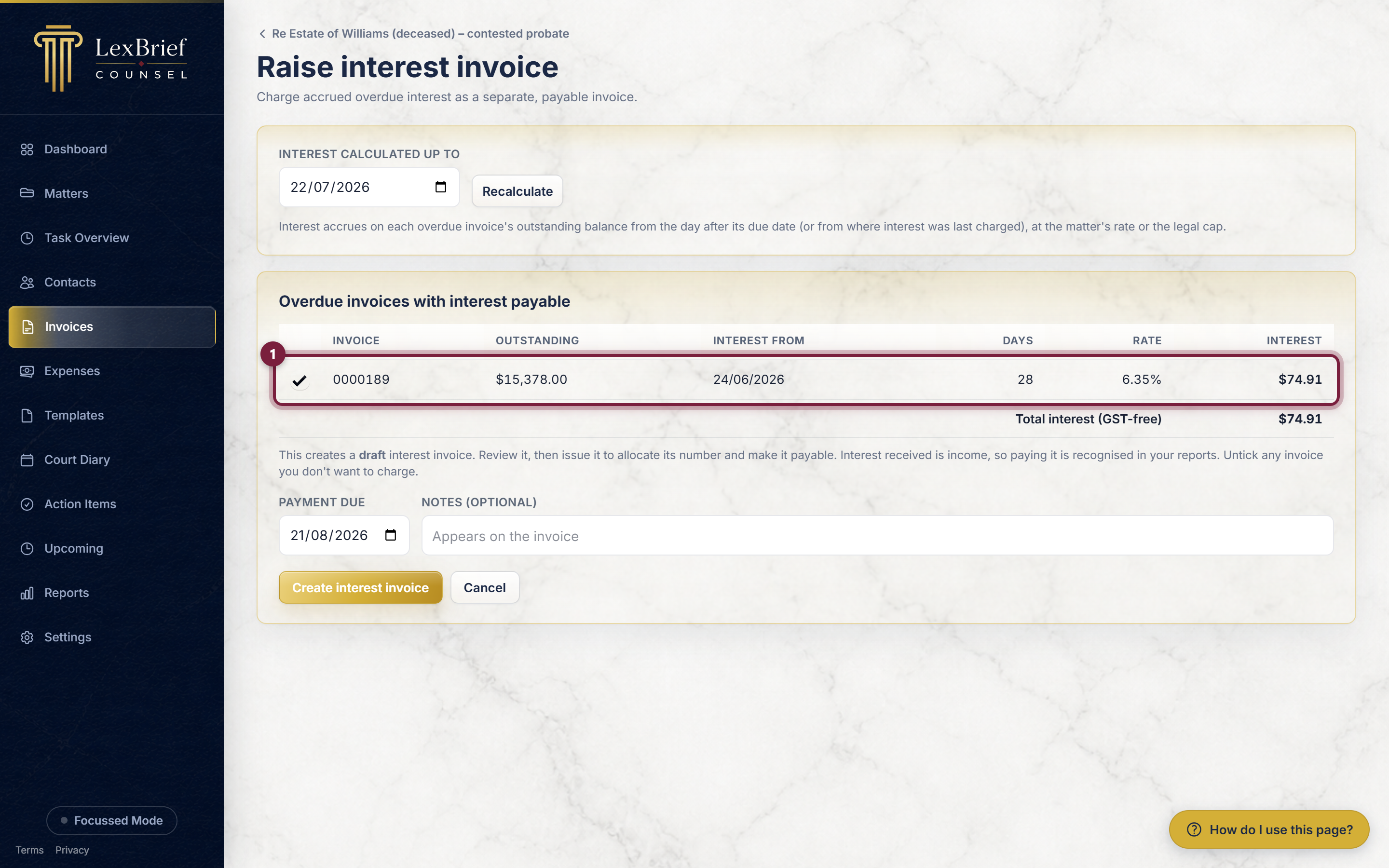
Every overdue invoice starts ticked, so by default you charge interest on all of them. If you do not want to charge interest on a particular invoice, click its tick-box on the left to untick it.
4. Set the date to calculate up to
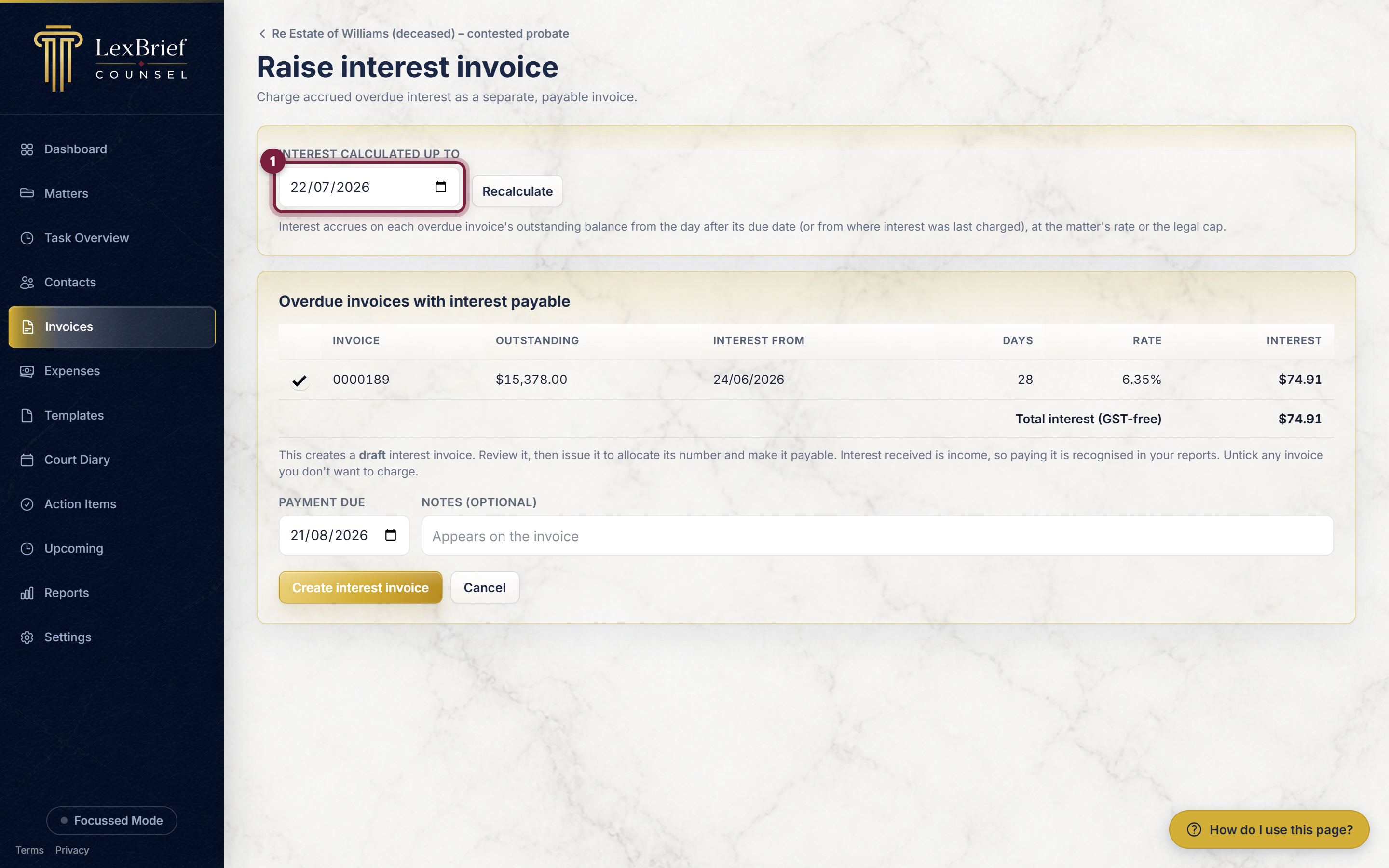
The Interest calculated up to box at the top decides how much interest is worked out – interest is counted up to this date. It starts on today's date. To use a different date, change it and click Recalculate; the amounts update.
5. Check the rate
Look at the Rate column. This is the exact interest rate LexBrief is applying to each invoice – either the rate you set on the matter, or the legal cap it worked out for you. There is nothing to type here; it is just there so you can see it.
6. Raise the invoice
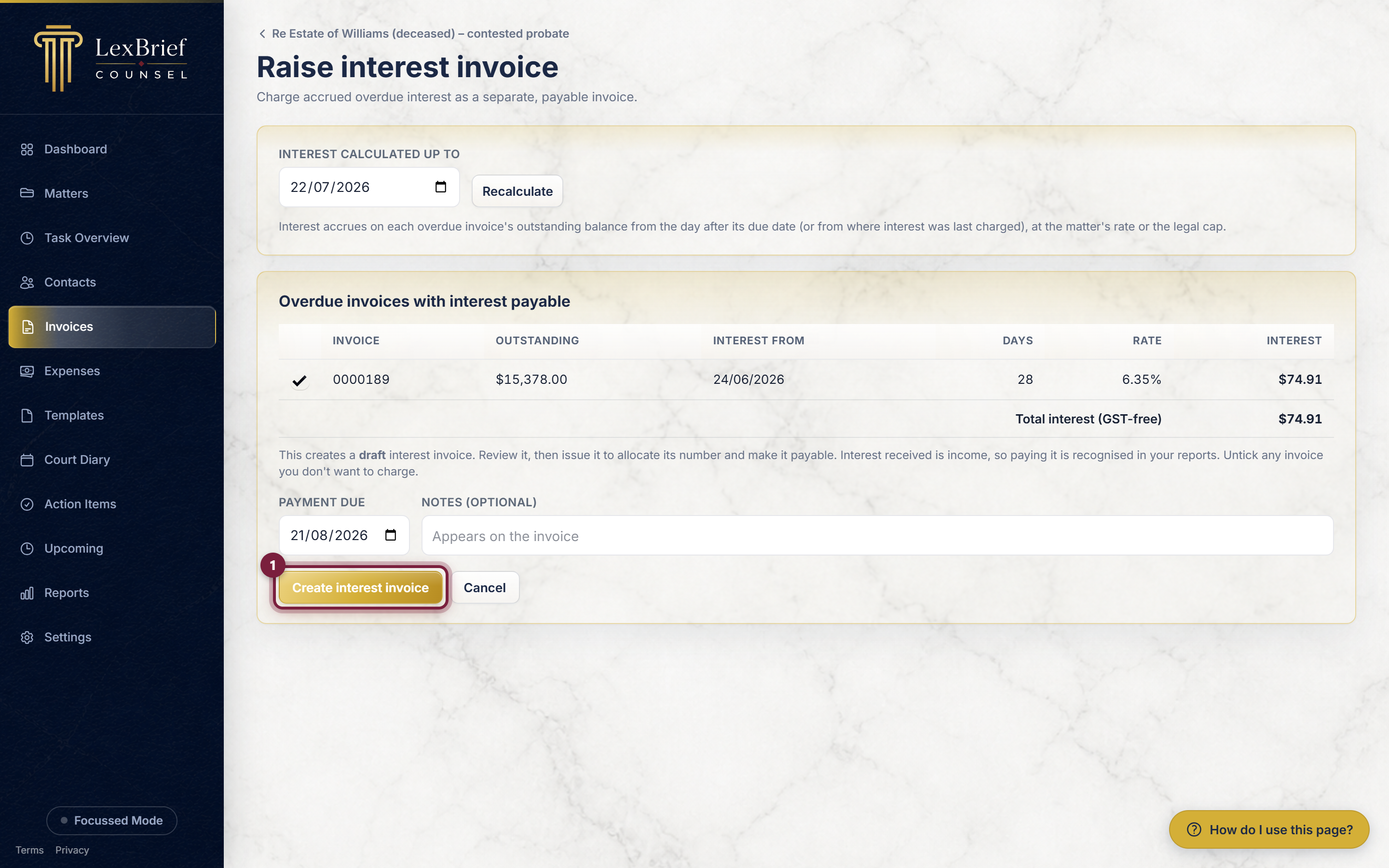
When you are happy, click the gold Create interest invoice button at the bottom. (You can also set a Payment due date and add a short Note first, but neither is required.)
What you should see
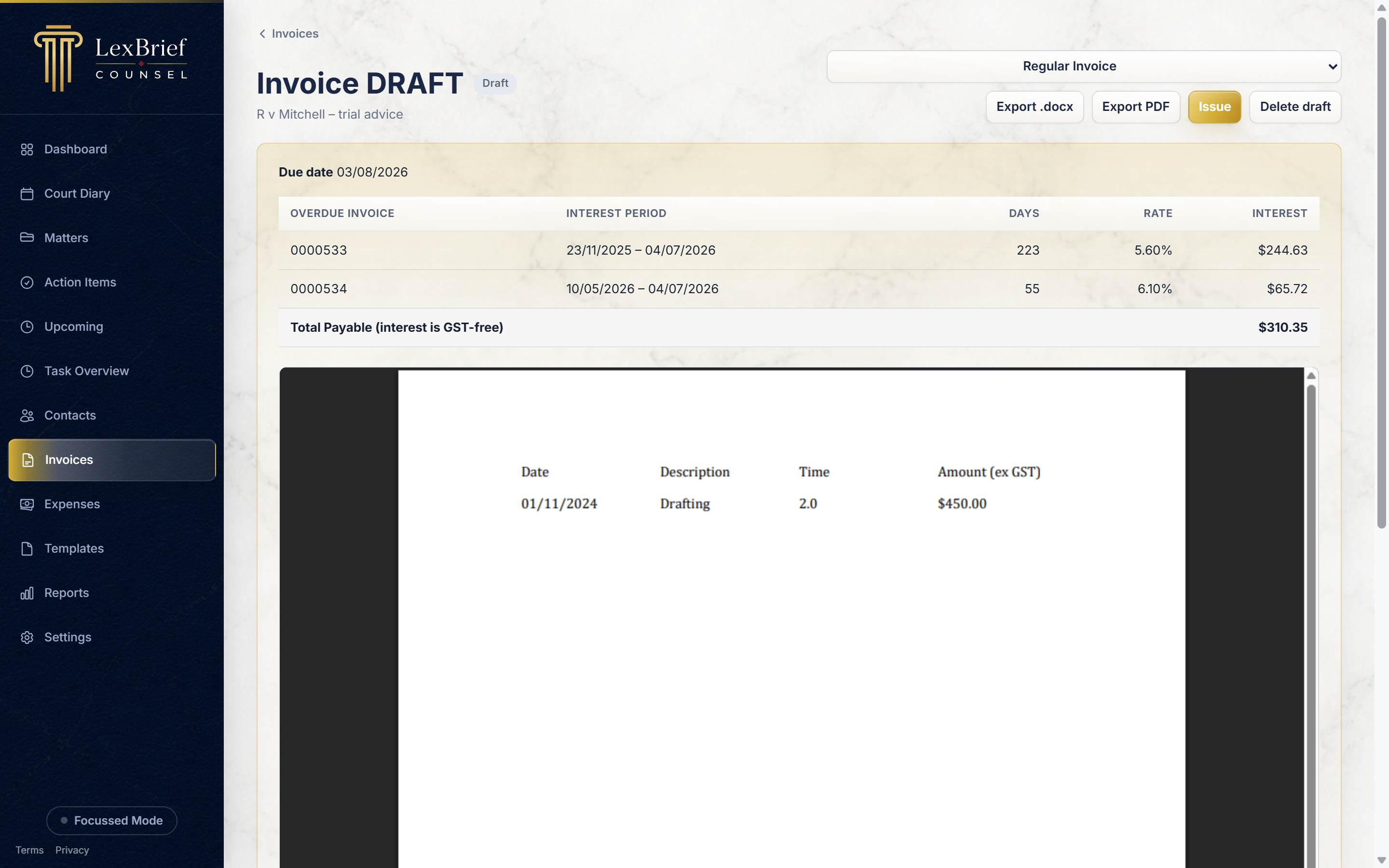
LexBrief creates a draft interest invoice and opens it. You will see the interest charges listed, and a Total Payable (interest is GST-free) line.
What happens next
An interest invoice behaves like any other invoice, so you already know how to handle it:
- It starts as a draft. Click Issue to turn it into the finished, numbered invoice you send – exactly as in the Invoices guide.
- Once issued, use Export PDF or Export .docx to save a copy to email to the client.
- When the client pays, use Record payment against it. Interest you receive counts as income.
- If you raised it in error, you can void it (or delete it while it is still a draft).
What next
Interest invoices sit alongside the rest of your billing:
- Invoices – the full draft, issue, send and payment story that interest invoices follow too.
- Matters – where you set a matter's own interest rate and where you raise an interest invoice from.
- Browse all help guides
Stuck on anything at all? Email support@lexbrief.au – a real person reads it, usually the same working day.